> ## Documentation Index
> Fetch the complete documentation index at: https://docs.taap.it/llms.txt
> Use this file to discover all available pages before exploring further.
# Overview
> Track leads and sales from your Taapit deeplinks
Taapit Conversions allows you to track leads and sales from your deeplinks, enabling you to measure the ROI of your marketing campaigns.
## How it works
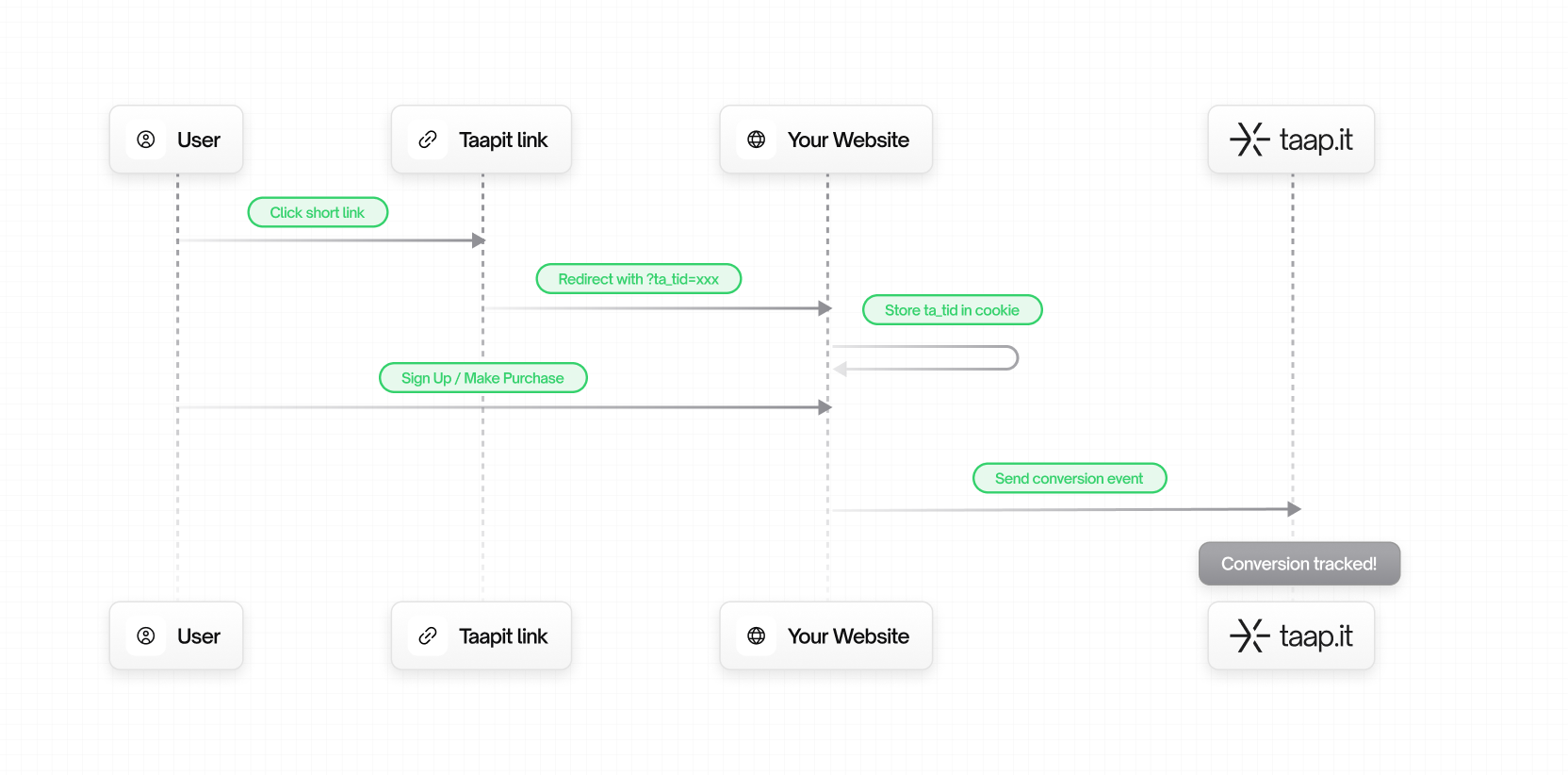 1. A user clicks on your Taapit deeplink
2. Taapit redirects them to your website with a `ta_tid` parameter
3. The tracking ID is stored in a cookie
4. When the user converts (signs up, purchases, etc.), the conversion is sent to Taapit
## Choose your integration method
There are **4 ways** to integrate Taapit Conversions:
**Semi-automatic** – Install the SDK, pass tracking ID in Stripe metadata.
**Automatic** – Install the app, enable the theme extension. Zero code.
**Manual** – Track conversions from your frontend with JavaScript.
**Manual** – Track from your backend for maximum reliability.
## Which method should I use?
| Method | Best for | Pros | Cons |
| --------------- | ------------------- | ------------------------------- | ----------------------------- |
| **Stripe** | SaaS, subscriptions | Automatic tracking via webhooks | Requires passing metadata |
| **Shopify** | E-commerce stores | Zero code, fully automatic | Shopify only |
| **Client-side** | Quick setup | Easy to implement | Can be blocked by ad blockers |
| **Server-side** | Production apps | Reliable, can't be blocked | Requires backend code |
For most production applications, we recommend **Server-side integration** for
maximum reliability, or one of the **Automatic integrations** if you use
Stripe or Shopify.
1. A user clicks on your Taapit deeplink
2. Taapit redirects them to your website with a `ta_tid` parameter
3. The tracking ID is stored in a cookie
4. When the user converts (signs up, purchases, etc.), the conversion is sent to Taapit
## Choose your integration method
There are **4 ways** to integrate Taapit Conversions:
**Semi-automatic** – Install the SDK, pass tracking ID in Stripe metadata.
**Automatic** – Install the app, enable the theme extension. Zero code.
**Manual** – Track conversions from your frontend with JavaScript.
**Manual** – Track from your backend for maximum reliability.
## Which method should I use?
| Method | Best for | Pros | Cons |
| --------------- | ------------------- | ------------------------------- | ----------------------------- |
| **Stripe** | SaaS, subscriptions | Automatic tracking via webhooks | Requires passing metadata |
| **Shopify** | E-commerce stores | Zero code, fully automatic | Shopify only |
| **Client-side** | Quick setup | Easy to implement | Can be blocked by ad blockers |
| **Server-side** | Production apps | Reliable, can't be blocked | Requires backend code |
For most production applications, we recommend **Server-side integration** for
maximum reliability, or one of the **Automatic integrations** if you use
Stripe or Shopify.