
The Conversion Flow
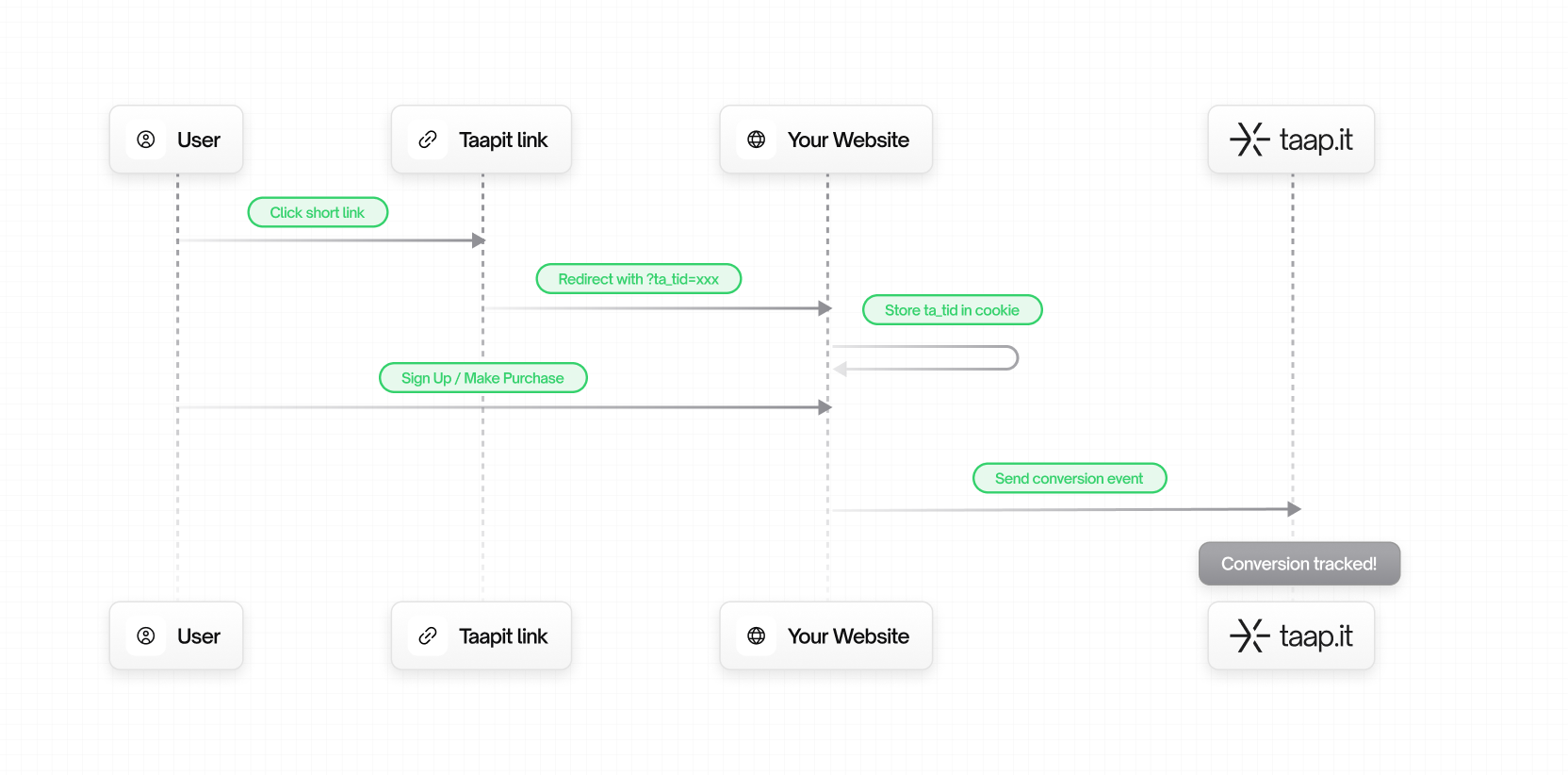
Key Concepts
1. Tracking ID (ta_tid)
When a user clicks on a Taapit deeplink, we generate a unique tracking ID and append it to your destination URL:
- Unique per click – Each click gets its own ID
- Persistent – Stored in a cookie
- Privacy-friendly – Contains no personal information
Learn more about the tracking ID.
2. Lead Events
A lead is a potential customer who has shown interest. Examples:- User signs up for an account
- User submits a contact form
- User starts a free trial
- User subscribes to a newsletter
trackingId– Theta_tidfrom the cookiecustomer.externalId– Your internal user ID
3. Sale Events
A sale is a completed transaction. Examples:- One-time purchase
- Subscription payment
- Upgrade to paid plan
- In-app purchase
trackingId– Theta_tidfrom the cookiecustomer.externalId– Your internal user IDamount– Transaction amount in currency units (e.g., 29.99)currency– ISO 4217 currency code (e.g.,eur,usd)
4. Customer Object
Both lead and sale events include a customer object to identify the user:Attribution Model
Taapit uses last-click attribution:- If a user clicks multiple Taapit links before converting, the conversion is attributed to the most recent click
- The cookie window ensures long sales cycles are captured
- Each new click updates the tracking ID
Conversion Types Comparison
Integration Methods
Choose the integration method that best fits your stack:Native Integrations (Zero Code)
SDK Integrations
API Integrations
Data Flow
Client-side Flow
- Browser reads
ta_tidfrom cookie - SDK sends event to Taapit API
- Data appears in your dashboard
Cons: Can be blocked by ad blockers
Server-side Flow
- Browser sends
ta_tidto your backend (cookie or form field) - Your backend sends event to Taapit API
- Data appears in your dashboard
Cons: Requires backend integration
Privacy & Compliance
Taapit is designed with privacy in mind:- No personal data in tracking ID –
ta_tidis a random string - First-party cookies – Set on your domain, not blocked by browsers
- GDPR compliant – No cross-site tracking
- Data ownership – You own your conversion data
Next Steps
Get the Tracking ID
Learn how to retrieve the ta_tid in your application.
Track Leads
Start tracking lead conversions.