
How it works
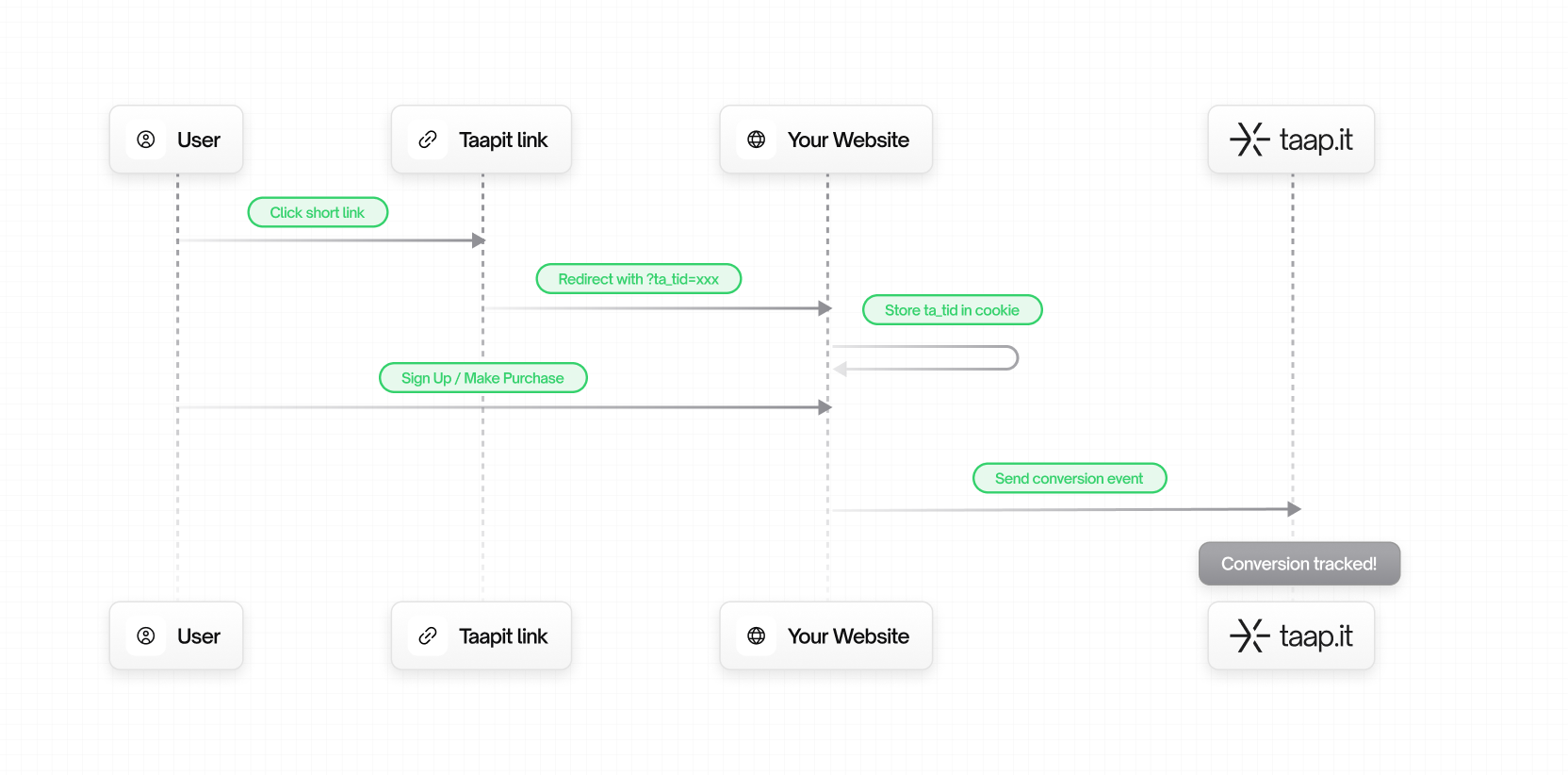
- A user clicks on your Taapit deeplink
- Taapit redirects them to your website with a
ta_tidparameter - The tracking ID is stored in a cookie
- When the user converts (signs up, purchases, etc.), the conversion is sent to Taapit
Choose your integration method
There are 4 ways to integrate Taapit Conversions:🔌 Stripe
Semi-automatic – Install the SDK, pass tracking ID in Stripe metadata.
🔌 Shopify
Automatic – Install the app, enable the theme extension. Zero code.
🛠️ Client-side
Manual – Track conversions from your frontend with JavaScript.
🛠️ Server-side (Recommended)
Manual – Track from your backend for maximum reliability.
Which method should I use?
For most production applications, we recommend Server-side integration for
maximum reliability, or one of the Automatic integrations if you use
Stripe or Shopify.